
A correct call tracking integration with CRM automates call logging, preserves campaign identifiers like UTMs and click IDs, and lets you send qualified outcomes back into ad platforms for closed-loop measurement. Most teams should start with a native connector between their call tracking platform and CRM, and move to middleware or a direct API when they need custom attribution or offline conversion uploads. Test the full flow before trusting the data for bidding decisions.
TL;DR:
- Using a native connector is recommended initially because it quickly surfaces mapping gaps and requires less development effort.
- Preserving call attributes such as UTM parameters, click IDs, call outcomes, and recordings is essential for accurate attribution and reporting.
- For high-volume or complex attribution needs, transitioning to API-based integrations and real-time sync improves data accuracy and bidding performance.
- Documenting field mappings, identity resolution rules, and testing procedures before launch reduces the risk of data loss, duplicates, and mismatches.
- Sending only meaningful outcomes, like closed deals or opportunities, back into ad platforms ensures the attribution reflects actual revenue-generating conversions.
Table of Contents
- What a call tracking integration actually does
- Choosing a route: native connector, middleware, or direct API
- Field mapping and identity resolution: what to save and how to match
- Testing, QA, and launch checklist
- Pushing CRM outcomes back to ad platforms
- Operational patterns, pitfalls, and where expert audits add value
- Should you build this yourself or bring in help?
- Getting call tracking data working for your Google Ads account
- FAQ
- Sources
- Key docs and guides to reference
What a call tracking integration actually does
The basic flow is simple: a visitor sees a dynamic tracking number through dynamic number insertion, the call platform captures the session data tied to that number, and the integration writes the activity into your CRM. What matters is what survives that handoff.
A usable integration preserves these call attributes:
- From and to numbers, call duration, and direction
- Recording and transcript URLs for QA and sales coaching
- UTM parameters, landing page, and click IDs such as GCLID, GBRAID, and WBRAID
- A call outcome field distinct from the raw log entry
Logging a call and recording a conversion are not the same thing. The call is the lead event. The outcome your sales team assigns, qualified, booked, closed, is the conversion that actually matters for bidding and reporting. Confusing the two is the single most common reason attribution data looks noisy six months after launch.
Choosing a route: native connector, middleware, or direct API
Three technical paths get call data into your CRM, and the right one depends on how custom your attribution needs to be.
- Native connector: fastest to set up, but mapping and customization are limited by what the provider built, and you’re dependent on both your call tracking plan tier and your CRM’s API access level.
- Middleware or webhook: a practical middle ground for enrichment, normalization, and routing call events to multiple systems without a full development project.
- Direct API: necessary when you need full custom behavior, including uploading click conversions, handling session attributes, or managing GCLID logic yourself, but it requires ongoing development and maintenance.
Before committing to any route, confirm API key access, plan-level limits, permission scopes on both platforms, and who owns maintenance when a field mapping breaks.
Pro Tip: Start with the native connector even if you expect to outgrow it. It surfaces mapping gaps early, before you’ve invested developer time in a custom build.
Field mapping and identity resolution: what to save and how to match
Dumping call data into a single notes field is the fastest way to make a CRM useless for attribution. Map discrete properties instead: from number, to number, call direction, duration, recording URL, transcript link, UTM parameters, click IDs, call summary, call outcome, and the owning agent or user. HubSpot’s default activity properties show why separation matters: distinct fields for direction, duration, and outcome make routing, QA, and reporting usable in ways a notes blob never will.
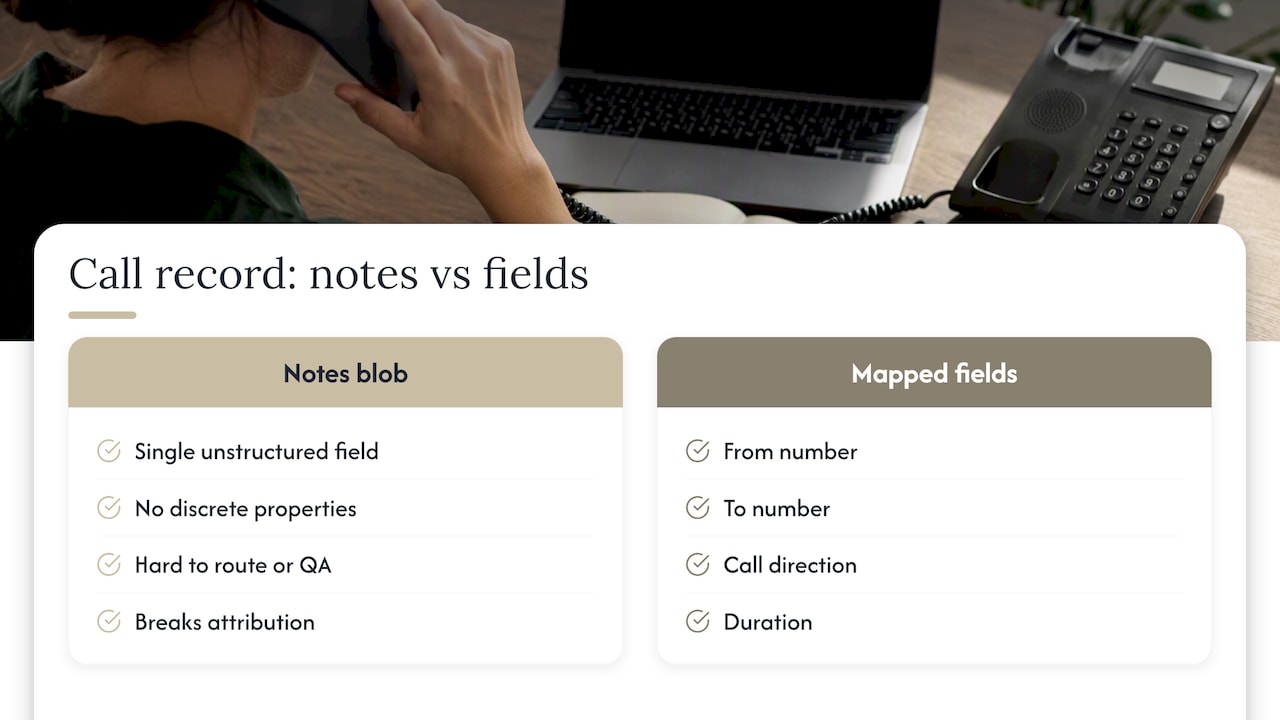
Identity resolution needs a defined order, not guesswork. A sensible default is token or session ID first, then email, then phone number normalized with country code, then name as a last resort. Plan for fuzzy or multi-match scenarios: a repeat caller from a different device, or two leads sharing a shared office line, will break naive matching rules.
Google’s offline conversion guidance makes the stakes explicit: preserving click and session identifiers alongside UTM parameters and call outcomes is what connects ad interactions to phone sales. Without them, you can log every call and still have no idea which campaign paid for it.
Document your insert, update, and upsert rules before you build. Decide what creates a new lead versus what simply attaches an activity to an existing record, and set default owner behavior so calls don’t pile up unassigned. Add custom fields for first-touch source and call summary. They cost little to create and make attribution audits far faster later.
Testing, QA, and launch checklist
Treat the first two weeks after integration as a testing phase, not a launch. Run through realistic scenarios before you let anyone trust the data for bidding decisions.
- Place inbound calls as a first-time caller, a repeat caller, an outbound call, a transferred call, a missed call, and a voicemail.
- Confirm recordings and transcripts attach correctly and that duration thresholds trigger the outcomes you expect.
- Check timestamp formatting against your account timezone, since mismatches silently break matching later.
- Verify that GCLID, GBRAID, and WBRAID values persist through the full chain and match on the CRM side.
- Confirm field mappings, ownership assignment, and deduplication behavior, then validate that custom fields actually appear in reports.
- Run a full offline conversion test: capture a click ID, record the CRM outcome, upload it, and confirm the match inside Google Ads.
Pro Tip: Run your test calls on the same day you check Google Ads import diagnostics. Matching errors are far easier to diagnose within 24 hours than a week later.
Pushing CRM outcomes back to ad platforms
A phone call is a lead, not a sale. The outcome that matters for optimization is what happens after the call: an opportunity created, a deal closed, revenue booked. Sending that outcome back to the ad platform is what makes the whole integration worth the setup time.
Google Ads call conversion imports require caller ID, a conversion date and time, and the conversion action’s resource name, with your account timezone applied consistently to avoid matching failures. Google Ads supports this through a few related paths:
- Calls from ads, which tracks calls placed directly from an ad
- Calls via uploads, for CRM-sourced call conversions
- Enhanced conversions for leads, which uses normalized and hashed user data alongside session identifiers
- The CallConversion API for programmatic, qualified-outcome uploads
Best practice is to retain click identifiers and hashed user identifiers together, since enhanced conversions depend on both for reliable matching. When running imports, keep timezones consistent across systems, watch for duplicate submissions, and check the platform’s import diagnostics regularly rather than assuming silent success. Our guide on tracking offline conversions in Google Ads walks through the upload sequence in more detail.
Operational patterns, pitfalls, and where expert audits add value
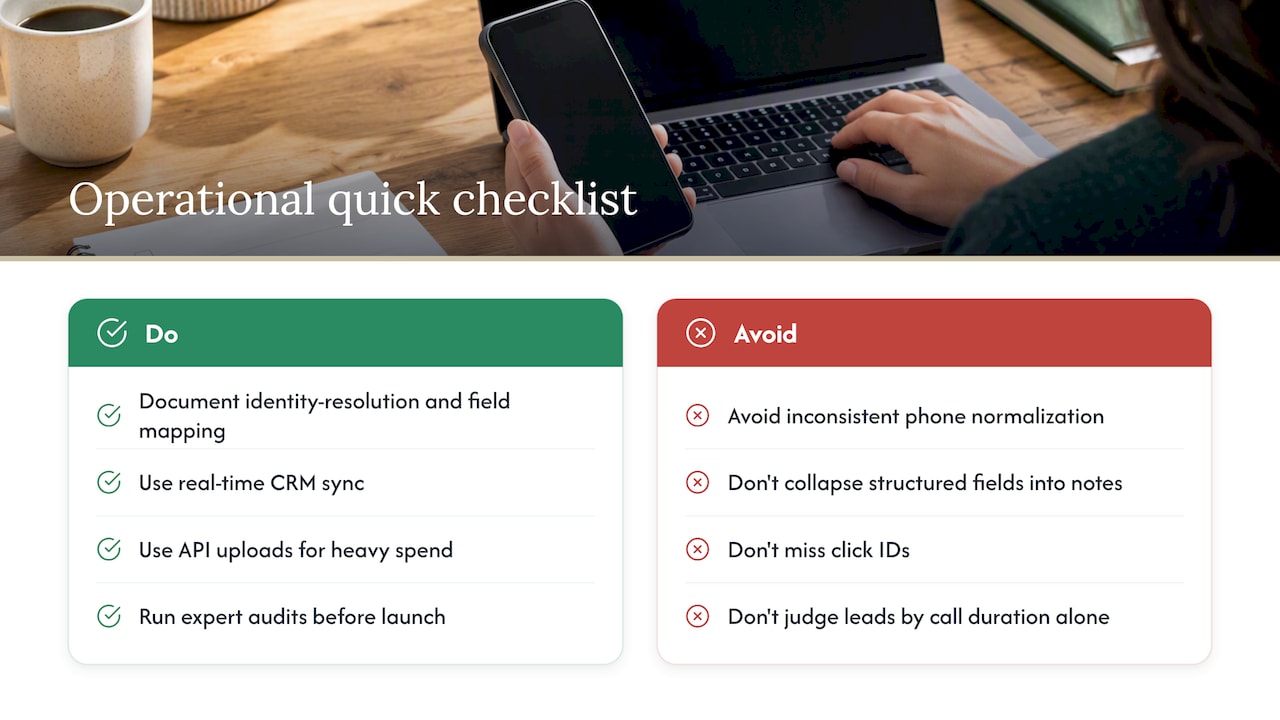
Document your identity-resolution and field-mapping decisions before a single line of integration code gets written. It’s the cheapest insurance against duplicate records and silent data loss. The recurring pitfalls are predictable: inconsistent phone number normalization, collapsing structured fields into notes, missing click IDs, and judging lead quality by call duration alone.
Real-time synchronization, which CallRail and CallTrackingMetrics both document for CRM integrations, improves both sales responsiveness and attribution accuracy over nightly batch exports. Advertisers spending heavily tend to need API-based uploads to get imports robust enough for bidding decisions. North Country Consulting’s free Google Ads audit is built to catch these gaps before they distort months of ad spend reporting.
Should you build this yourself or bring in help?
A native connector plus disciplined testing is genuinely enough for many teams, especially with a single call tracking source and straightforward attribution needs. Once ad spend is high, attribution spans multiple channels, or you need custom click ID handling, the math shifts toward specialist help. If you’re unsure which camp you’re in, a focused audit is the lowest-risk way to find out.
— Eric
Getting call tracking data working for your Google Ads account
If your call tracking integration is logging calls but your Google Ads account still can’t tell which campaigns drove revenue, the gap usually isn’t the call data itself, it’s the attribution layer connecting it to bidding decisions. North Country Consulting rebuilds that layer directly: conversion tracking and attribution work, call tracking setup and integration support, and full Google Ads management with senior oversight rather than junior account handling.
Every account gets a written strategy and CFO-grade reporting, with account ownership staying with you the entire time. The starting point is the free Google Ads audit, which flags attribution and tracking gaps and maps out the integration route and measurement handover that fits your account. If you’re ready to see what’s currently getting missed, request your audit and get a prioritized list back.
FAQ
What is the best CRM for calling?
There’s no single best option: HubSpot, Pipedrive, and similar CRMs all support call logging and integration with dedicated call tracking platforms, but the right choice depends on your existing stack and API access level. Compatibility with your call tracking provider’s documented mapping and sync behavior matters more than the CRM brand itself.
Can I integrate my CRM with VoIP?
Yes, most modern CRMs support VoIP integration either natively or through a connecting platform, which logs call activity, duration, and recordings directly to contact records. The specific fields and sync speed available depend on your VoIP provider and CRM plan tier.
Can HubSpot track phone calls?
Yes, HubSpot can log and associate phone calls with contacts, companies, and deals through its calling tools and third-party integrations, as shown in HubSpot’s own integration documentation. Some advanced mapping and association features require specific HubSpot plans with API access.
What is the best call tracking software for CRM integration?
CallRail and CallTrackingMetrics are widely used options with documented CRM integrations, including real-time sync and custom field creation for platforms like Pipedrive and HubSpot. The better fit depends on whether you need real-time sync, specific field mapping, or offline conversion upload support for Google Ads.
Sources
- Upload offline conversions – Google Ads API
- About phone call conversion tracking – Google Ads Help
- Integrating CTM with HubSpot – CallTrackingMetrics Ticket Portal
- Pipedrive integration – CallRail Help Center
- Importing call conversions – Google Ads API docs
Key docs and guides to reference
- Upload offline conversions – Google Ads API
- About phone call conversion tracking – Google Ads Help
- Importing call conversions – Google Ads API docs
- Integrating CTM with HubSpot
- Pipedrive integration – CallRail Help Center
- HubSpot’s default activity properties