
Consent Mode V2 is Google’s updated consent signaling system that communicates four granular parameters — ad_storage, analytics_storage, ad_user_data, and ad_personalization — to Google tags so measurement can degrade gracefully or be modeled when storage is denied. If you run Google Ads or Google Analytics (GA4) and collect any user data, this affects you now.
The single action to take: make sure your consent banner sends all four signals to Google before your tags fire. Here’s what each signal controls:
ad_storage— enables or blocks cookies used for advertising (including GCLID-based conversion tracking)analytics_storage— enables or blocks analytics cookies (session data, GA4 measurement)ad_user_data— controls whether user-provided identifiers (hashed emails, user IDs) can be sent to Google for advertisingad_personalization— controls whether Google can use data for remarketing and personalized audiences
Pro Tip: ad_user_data is the highest-risk parameter for Google Ads performance. When denied, Click-ID keyed conversions and enhanced conversions stop working. Prioritize getting this signal right before anything else.
Table of Contents
- What does consent mode V2 actually mean? A quick glossary
- What changed from consent mode v1 to v2?
- How does Consent Mode work: Basic vs Advanced, pings, and modeling
- How to implement consent mode V2 with gtag.js and Google Tag Manager
- How should you integrate a CMP with Consent Mode V2?
- How do you test and troubleshoot Consent Mode V2?
- U.S. legal and compliance considerations for Consent Mode V2
- Upgrade and rollout checklist: migration plan and timeline
- Cross-browser and device consistency challenges
- Data retention and deletion under Consent Mode V2
- What comes after Consent Mode V2?
- Key Takeaways
- When should you hire an agency for Consent Mode V2?
- North Country Consulting’s approach to Consent Mode V2 migrations
- Useful official docs and reference links
What does consent mode V2 actually mean? A quick glossary
Before the implementation steps, a few terms that appear throughout this guide:
- Consent state ping — a cookieless HTTP request sent when storage is denied, encoding the user’s consent choices without writing cookies
- Key event ping — a cookieless ping sent when a conversion or key event fires under denied storage
- Cookieless ping — umbrella term for any tag request that carries no identifying cookies; used for modeling
- In-page default — the consent state your tags assume before the user interacts with the banner (almost always
denied) - In-page update — the consent state update your tags receive after the user makes a choice
ads_data_redaction— an additional parameter that, when set totrue, strips advertising identifiers from cookieless pingsgcsfield — HTTP parameter encoding the current consent state for ad storage and analytics storagegcdfield — HTTP parameter encoding the full consent state across all four parameters; always sent regardless of whether consent mode is activedmafield — HTTP parameter indicating whether Digital Markets Act rules apply to the request- Advertiser-specific model — a conversion model trained on your own consented data; more accurate than the fallback
- General model — Google’s population-level fallback model, used when your consented data volume is too low
What changed from consent mode v1 to v2?
The original Consent Mode launched with two parameters: ad_storage and analytics_storage. That covered cookies, but it left a gap — Google had no signal about whether a user had consented to their data being used for advertising or personalization specifically.
Consent Mode V2 added ad_user_data and ad_personalization to close that gap. The practical delta for implementers:
ad_user_data— new in v2; must be explicitly set; when denied, blocks enhanced conversions and user-list uploads keyed to identifiersad_personalization— new in v2; when denied, prevents Google from using data for remarketing or personalized audience targeting
| Parameter | Introduced | Controls |
|---|---|---|
ad_storage |
v1 | Ad cookies (GCLID, conversion cookies) |
analytics_storage |
v1 | Analytics cookies (GA4 sessions, events) |
ad_user_data |
v2 | User identifiers sent to Google for ads |
ad_personalization |
v2 | Remarketing and personalized audiences |
Google began strongly recommending the upgrade in November 2023, tying it to EEA enforcement requirements and broader privacy policy expectations. If your CMP or custom banner only sets two parameters, you are running an incomplete implementation regardless of your geography.
The migration priority is straightforward: client-side implementations (gtag.js or Google Tag Manager) need the two new parameters added to both the default and update calls. Server-side tagging requires additional work to pass the consent state through to server containers.
How does Consent Mode work: Basic vs Advanced, pings, and modeling
Advanced implementation lets Google tags load before the user touches the banner and sends cookieless pings while consent is denied. Basic blocks tags entirely until the user interacts. That difference has a direct effect on modeling quality, and modeling quality affects your reported conversions.
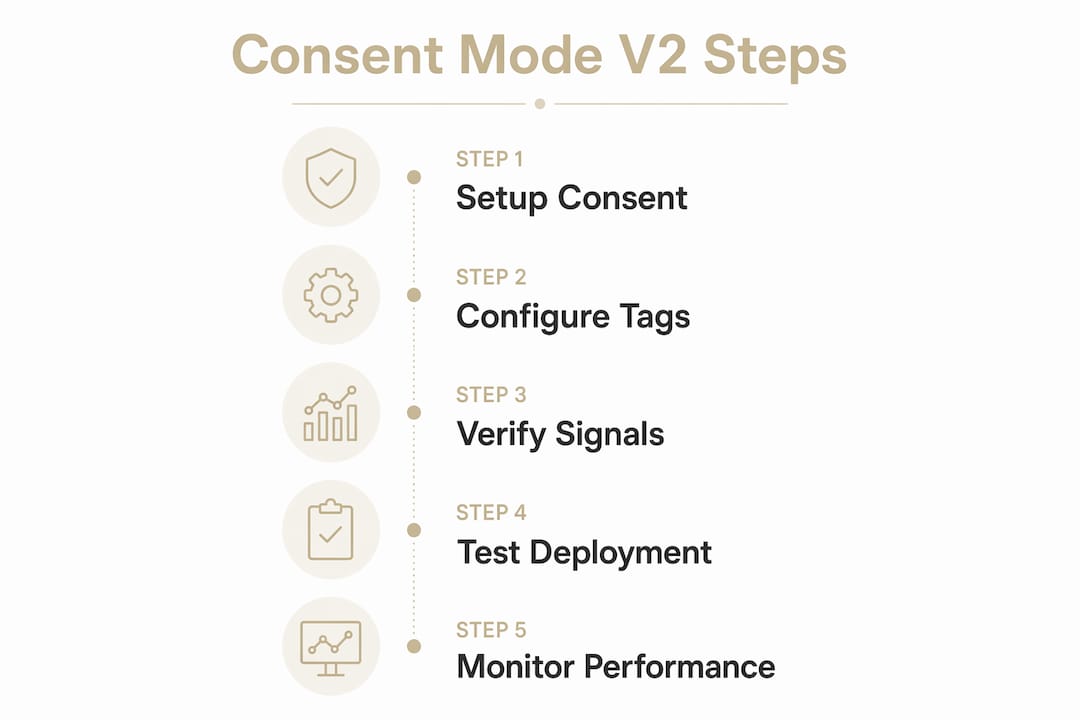
Basic mode behavior
Tags do not load until the user grants or denies consent. No data reaches Google before that interaction — not even the consent status. When the user declines, nothing fires at all. Conversion modeling in Google Ads falls back to a general population model, which is less accurate than one trained on your own data.
Advanced mode behavior
Tags load immediately. The consent API reads the default state (denied), and the tags send cookieless pings — consent state pings, key event pings, and GA4 pings — that carry anonymized signals without writing cookies. When the user grants consent, full measurement data flows. This enables an advertiser-specific model, which is meaningfully more accurate than the general fallback.

When ad_storage or analytics_storage are denied, GA4’s cookieless events include user agent and truncated IP information but do not store IP addresses. The gcs, gcd, and dma fields in the HTTP request encode the consent state so Google knows how to handle each ping.
| Dimension | Basic | Advanced |
|---|---|---|
| Tag loading | Blocked until interaction | Loads immediately with defaults |
| Data before consent | None | Cookieless pings only |
| Modeling type | General model | Advertiser-specific model |
| Conversion accuracy | Lower | Higher |
| Implementation complexity | Lower | Higher |
Pro Tip: If your site has low banner engagement rates (users close the tab before interacting) or runs cross-domain funnels, Basic mode leaves a large measurement gap. Advanced mode is almost always the right call for sites spending $25K+/month on Google Ads.
How to implement consent mode V2 with gtag.js and Google Tag Manager
Set the in-page default to denied for all four parameters before any tags fire, then call the update function when the user makes a choice. That two-step pattern is the foundation of every working implementation.
gtag.js implementation
- Add the default consent call in your
<head>, before the gtag snippet loads:
gtag('consent', 'default', {
  'ad_storage': 'denied',
  'analytics_storage': 'denied',
  'ad_user_data': 'denied',
  'ad_personalization': 'denied',
  'wait_for_update': 500
});
- When the user grants consent via your banner, call the update:
gtag('consent', 'update', {
  'ad_storage': 'granted',
  'analytics_storage': 'granted',
  'ad_user_data': 'granted',
  'ad_personalization': 'granted'
});
- Persist the user’s choice (cookie or localStorage) and re-apply it on subsequent page loads so returning visitors don’t see the banner again and tags fire correctly from page one.
Google Tag Manager implementation
- Create a Consent Initialization tag (tag type: Consent Mode) and set all four parameters to
denied. Set the trigger to Consent Initialization — All Pages so it fires before any other tag. - Create a second tag that calls the update when your CMP fires its consent-granted event. Use a Custom Event trigger matching your CMP’s dataLayer push (e.g.,
consent_updated). - For each Google Ads or GA4 tag, open Advanced Settings > Consent Settings and confirm the tag requires the appropriate consent types. GTM’s built-in consent checks will block or allow the tag automatically.
Key implementation rule: the default consent call must execute before the Google tag (gtag.js or GTM container snippet) initializes. If the default fires after, tags may send unconsented data on the first page load.
Edge cases to handle:
- Single-page apps (SPAs): consent state persists in memory, but you must re-fire the update call after route changes if your CMP re-renders the banner on navigation.
- Subdomains: store consent choices in a first-party cookie scoped to the root domain (e.g.,
.example.com) so all subdomains read the same state. - Server-side tagging: pass consent state as a request parameter or via a first-party data layer; your server container must read and forward the
gcs/gcdfields correctly.
For a deeper look at how conversion tracking setup interacts with these defaults, the implementation steps there complement what’s covered here.
Pro Tip: Set wait_for_update to 500ms (or longer for slow CMPs) in your default call. Without it, tags may fire with the default denied state even when a returning visitor already granted consent, causing a false cookieless ping.

How should you integrate a CMP with Consent Mode V2?
Consent Mode V2 does not provide a consent banner — it only reads the choices your CMP collects and passes to Google. The CMP is still your responsibility.
The integration pattern depends on your setup:
- Integrated CMP partner (recommended): Google-certified CMPs push consent choices directly to the dataLayer or call
gtag('consent', 'update', ...)automatically. You configure the banner in the CMP dashboard; the signals flow to Google without custom code. - Custom banner with gtag.js: your banner’s accept/decline callbacks must call
gtag('consent', 'update', ...)with all four parameters. Missing any parameter leaves it at the default state. - Custom banner with GTM: push a dataLayer event from your banner callback, then use a GTM tag triggered by that event to fire the update.
Google recommends using a certified CMP partner for accounts with complex consent flows or high ad spend. For businesses running $25K+/month in Google Ads, a certified CMP reduces the operational risk of manual updates breaking when Google changes its consent API.
Operational checklist before going live:
- Confirm consent state pings fire in network logs (look for
gcsandgcdparameters) when storage is denied - Verify the update call fires correctly after user interaction in GTM Preview or Tag Assistant
- Check that
ads_data_redactionis set totrueif your legal team requires identifier stripping on denied pings - Confirm consent choices persist across page loads and sessions for returning visitors
- Test on mobile browsers separately — cookie storage behavior differs from desktop
Pro Tip: Run your CMP in staging with a fresh incognito session and inspect network requests. If you see full GA4 measurement events firing before any banner interaction, your default consent state is not set correctly.
How do you test and troubleshoot Consent Mode V2?
Validate consent pings and tag behavior before and after user interaction, then measure modeling uplift after at least 7 full days of data.
Diagnostic workflow:
- Open Tag Assistant (tagassistant.google.com) and navigate your site without interacting with the banner. Confirm only cookieless pings fire — no full measurement events.
- Grant consent in the banner and confirm the update call fires. Tag Assistant should show the consent state change and subsequent full measurement data.
- In GTM Preview, check that the Consent Initialization tag fires first, before any Google Ads or GA4 tags.
- Open GA4 DebugView and verify events appear after consent is granted. Events appearing before consent indicate a misconfigured default.
- Inspect network requests for
gcsandgcdparameters in the HTTP calls togoogle-analytics.comorgoogletagmanager.com. Thegcdfield is always present regardless of consent mode status — its value encodes the current state. - For server-side setups, check server container logs to confirm cookieless pings are forwarded with correct consent fields.
Common failure modes:
- Consent state not persisted across pages — returning visitors trigger a new default-denied state on each load
- CMP not sending
ad_user_dataorad_personalization— these were not required in v1 and many older CMP configs omit them - GTM triggers misconfigured — a tag fires on “All Pages” without a consent check, bypassing the consent gate
wait_for_updatetoo short — fast-loading pages fire tags before the CMP callback executes
Google may report measurable uplift from Consent Mode after at least 7 full days of implementation, provided data thresholds for modeling are met. Don’t evaluate modeling quality on day one or two.
Pro Tip: Capture your opt-in rate baseline (percentage of users granting all four parameters) before and after any banner copy changes. Opt-in rate is the single biggest lever on modeling accuracy — a 10-point improvement in opt-in rate often outperforms any technical configuration change.
U.S. legal and compliance considerations for Consent Mode V2
Consent Mode V2 is a measurement signaling tool. It does not substitute for the privacy notices, opt-out mechanisms, or data processing agreements required under U.S. privacy law. Running it does not make you CCPA/CPRA compliant.
Practical compliance steps for U.S. websites:
- Update your privacy notice to describe what data Google collects, how consent choices affect that collection, and how users can change their preferences
- Map your data flows: identify which Google tags write cookies or send identifiers, and document what each consent parameter controls
- For CCPA/CPRA, treat
ad_personalization='denied'as a signal aligned with a consumer’s “Do Not Sell or Share” request — log it and document your response - Use
ads_data_redaction=trueif you need to strip advertising identifiers from cookieless pings to satisfy a deletion or opt-out request - Maintain a consent-change audit log: timestamp, consent state, and the parameters set at each change
When ad_personalization is denied, remarketing pipelines are blocked entirely. For advertisers who rely on full-funnel remarketing, that’s a real revenue consequence. The practical response is to optimize your banner messaging to clearly explain what personalization enables — not to obscure the choice.
GA4’s cookieless events under denied storage include user agent and truncated IP but do not store IP addresses. That’s a meaningful privacy protection, but it doesn’t replace a proper data processing addendum with Google or a compliant privacy notice.
Pro Tip: Document your ads_data_redaction setting and consent-change log in your privacy program records. If a regulator or auditor asks how you handle a consumer’s opt-out, you need to show the technical implementation, not just the policy.
Opt-in rates directly affect modeling quality. Sites with low opt-in rates produce less accurate advertiser-specific models, which means conversion reporting becomes less reliable. That’s the practical consequence of weak consent messaging — not just a compliance issue, but a measurement one.
Upgrade and rollout checklist: migration plan and timeline
A clean migration takes one to two weeks for simple sites and four to eight weeks for complex ones with multiple domains, server-side tagging, or custom CMPs.
Migration steps:
- Audit current tags and CMP — list every Google tag on the site, confirm which consent parameters they currently receive, and identify gaps (missing
ad_user_dataorad_personalizationcalls) - Map existing consent types to v2 parameters — match your CMP’s consent categories to the four parameters; document the mapping
- Choose Basic vs Advanced — Advanced for any site spending $25K+/month or running cross-domain funnels; Basic only for low-traffic or low-spend sites where implementation simplicity outweighs modeling accuracy
- Implement defaults and update flows — add or update the default consent call and the update call in gtag.js or GTM
- Test in staging — run the full diagnostic workflow (Tag Assistant, GTM Preview, GA4 DebugView, network inspection)
- Run a limited rollout — deploy to 10–20% of traffic, monitor for consent state errors and conversion tracking anomalies
- Full rollout and monitoring — deploy to 100% and monitor for at least 7 full days before evaluating modeling uplift
Ownership by role:
- Developer or tag manager: default/update implementation, SPA handling, subdomain cookie scoping
- CMP admin: banner configuration, parameter mapping, certified CMP setup
- Analytics/Ads manager: testing, DebugView validation, conversion tracking verification, modeling uplift measurement
Rollback triggers: if conversion tracking drops more than 20% with no corresponding drop in actual conversions, or if Tag Assistant shows full measurement data firing before consent, roll back to the previous configuration and re-audit the default call timing.
Before you go live: confirm in writing that your CMP sends all four parameters and that your legal team has reviewed the privacy notice update. A technically correct implementation with an outdated privacy notice is still a compliance gap.
Pro Tip: For attribution model accuracy during the rollout window, avoid making major campaign structure changes in the same period. Isolate the consent mode variable so you can attribute any conversion reporting shifts to the implementation, not to campaign changes.
Cross-browser and device consistency challenges
Consent choices stored in first-party cookies behave differently across browsers. Safari’s Intelligent Tracking Prevention (ITP) limits cookie lifetimes, which means a user who granted consent on Monday may appear as a new unconsented visitor by the following week on Safari. Firefox’s Enhanced Tracking Protection applies similar restrictions.
The practical consequence: your opt-in rate metrics may look artificially low on Safari and Firefox because returning visitors re-trigger the banner more frequently. This also affects modeling — if a large share of your traffic is Safari, your advertiser-specific model trains on a smaller consented dataset than your raw opt-in numbers suggest.
Mitigation strategies include storing consent state in a server-set first-party cookie (which ITP treats more favorably than JavaScript-set cookies) and using a CMP that supports server-side consent persistence. Cross-device consistency is a separate problem: a user who consents on desktop is a different “user” on mobile unless you have a logged-in identity layer. Consent Mode V2 does not solve cross-device identity; it only signals choices made on the current device and browser.
Data retention and deletion under Consent Mode V2
Consent Mode V2 affects what data Google collects, but your data retention settings in GA4 and Google Ads govern how long that data is kept. Setting analytics_storage='denied' stops new data collection but does not delete previously collected data.
For CCPA/CPRA deletion requests, the process is separate: you submit a user deletion request via the GA4 User Deletion API or Google Ads’ data deletion tools, referencing the user’s identifiers. Consent Mode’s ads_data_redaction parameter strips identifiers from future cookieless pings but does not retroactively delete historical data.
GA4’s data retention setting (configurable from 2 to 14 months for user-level data) applies to consented data. Cookieless ping data used for modeling is handled under Google’s own retention policies, which are separate from your GA4 property settings. Document both your GA4 retention configuration and your deletion request process in your privacy program records.
What comes after Consent Mode V2?
Google has signaled that the direction of travel is toward more granular consent signals, tighter integration with server-side measurement, and reduced reliance on third-party cookies across all its ad products. The deprecation of third-party cookies in Chrome, while delayed multiple times, remains a long-term structural shift that Consent Mode is designed to accommodate.
Expect future versions to add signals for specific data use cases (e.g., cross-site tracking, AI-based personalization) and tighter enforcement tied to Google’s advertising policies rather than just EEA regulatory requirements. The Digital Markets Act framework in the EU is already driving more explicit consent requirements for large platforms, and similar legislative pressure is building in U.S. states beyond California.
For implementers, the practical implication is to build your consent infrastructure to be extensible: use a certified CMP that updates its parameter mapping when Google adds new signals, and avoid hardcoding consent parameter lists in custom code. The four-parameter model of v2 is unlikely to be the final state.
Key Takeaways
Consent Mode V2 requires all four consent signals to be set correctly before tags fire, with Advanced mode delivering meaningfully better conversion modeling than Basic for high-spend advertisers.
| Point | Details |
|---|---|
| Four signals required | Set ad_storage, analytics_storage, ad_user_data, and ad_personalization in every implementation. |
| Advanced beats Basic for accuracy | Advanced mode enables advertiser-specific modeling; Basic falls back to a general model with lower accuracy. |
| CMPs are still required | Consent Mode reads choices your CMP collects; it does not replace consent collection or legal compliance. |
| Test before full rollout | Use Tag Assistant, GTM Preview, and GA4 DebugView; wait at least 7 days to evaluate modeling uplift. |
| North Country Consulting | For accounts spending $25K+/month, North Country Consulting handles CMP integration, GTM implementation, and testing to protect conversion tracking accuracy. |
When should you hire an agency for Consent Mode V2?
Most Consent Mode V2 migrations that go wrong don’t fail on the concept — they fail on the details. The default consent call fires after the tag. The CMP sends three parameters instead of four. The GTM trigger order is wrong and full measurement data leaks before consent. These are not beginner mistakes; they show up in accounts managed by experienced in-house teams who are simply stretched across too many priorities.
From North Country Consulting’s perspective, the risk threshold for hiring external help is lower than most advertisers assume. If you’re spending $25K+/month on Google Ads, a broken consent implementation doesn’t just affect compliance — it degrades your bidding signals, corrupts your attribution data, and makes your conversion reporting unreliable for weeks while modeling stabilizes. The cost of that measurement gap typically exceeds the cost of getting the implementation right the first time.
The cases where an agency engagement is clearly justified: multi-domain tracking with cross-domain consent persistence, server-side tagging where consent state must be forwarded through a server container, complex CMP configurations with multiple consent categories, and any situation where enhanced conversions are a core part of your bidding strategy. In those scenarios, the implementation is not a one-time task — it requires ongoing monitoring as Google updates its consent API and as your CMP releases new versions.
What a proper agency engagement should deliver: a documented audit of your current tag and CMP configuration, a written mapping of consent categories to v2 parameters, GTM or gtag.js implementation with code review, staging and production testing with documented results, and a verification report you can show to legal or compliance stakeholders. If an agency can’t produce that documentation, the implementation isn’t done.
North Country Consulting’s approach to Consent Mode V2 migrations
For advertisers running $25K+/month in Google Ads, a misconfigured consent implementation is a direct threat to conversion tracking accuracy and bidding performance. North Country Consulting implements, audits, and maintains Consent Mode V2 for high-spend accounts — covering CMP integration, gtag.js and GTM configuration, server-side tagging support, and documented testing verification.
The service includes a full audit of your existing tag and consent setup, a written parameter mapping, implementation with staging validation, and a post-launch monitoring period to confirm modeling uplift. For e-commerce accounts, the e-commerce conversion tracking implications of consent mode are built into the audit scope.
If your account is spending at that level and you haven’t verified that all four consent parameters are firing correctly, a free Google Ads audit is the right starting point. North Country Consulting’s senior-led review covers consent mode configuration alongside your full measurement and attribution setup.
Useful official docs and reference links
These are the canonical sources for verifying implementation details and citing changes in your team’s change logs:
- Consent mode overview (Tag Platform) — core concepts, cookieless pings, gcs/gcd/dma fields
- Set up consent mode on websites (Tag Platform) — gtag.js and GTM implementation steps, parameter reference
- About consent mode (Google Ads Help) — Basic vs Advanced behavior, modeling, and uplift measurement
- Consent mode reference (Google Ads Help) — parameter definitions,
ads_data_redaction, cookieless ping details - Set up consent mode with a CMP (Google Ads Help) — CMP partner integration guidance and certified CMP list
- Set up consent mode (Google Ads Help) — infrastructure-specific setup paths (CMP partner vs custom banner)
Use these sources to validate any implementation detail before deploying to production, and reference them in your change log entries so future team members can trace decisions back to official documentation.