
Before any budget goes live, verify five things: measurement, landing pages, creatives, targeting, and account setup. Confirm Google Tag Manager events fire correctly, run PageSpeed Insights on every landing page, and treat this as a senior-level operational pass, not a quick glance before launch.
TL;DR:
- Create a separate conversion action for each outcome, test the funnel, and keep enhanced conversion actions secondary for two to three weeks while validating match rates.
- PageSpeed Insights scores below 50 are poor, scores from 50 to 89 need improvement, and a score of 90 or higher is good for launch.
- Prepare at least three Search ads per ad group, add asset types and extensions, and preview formats for policy or rendering problems before review.
- Use Smart Bidding only after reliable conversion data exists; verify tracking first, since automated bids from launch can rely on unvalidated signals.
- Before launch, confirm active billing, the account owner’s administrative access, automatic tagging, correct time zone and currency, and approved product feeds; missing setup can delay activation.
Table of Contents
- 1. Account access and ad account setup
- 2. Measurement and conversion tracking come first
- 3. Tagging, analytics, and UTM link tracking
- 4. Landing pages need to match the ad and load fast
- 5. Creative and ad assets should be launch-ready, not draft-ready
- 6. Targeting, audiences, and campaign settings
- 7. Campaign structure, bidding, budgets, and go/no-go QA
- North Country Consulting perspective: senior oversight changes pre-launch priorities
- How we help you finish the checklist before launch
- FAQ
- Sources
1. Account access and ad account setup
An account with the wrong billing profile or missing permissions can stall a launch for days. Before touching campaign settings, confirm the account itself is ready to run and to report accurately.
- Verify the correct ad account is selected and billing is active, with payment method and invoicing matched to the business entity launching the campaign.
- Confirm user roles and access levels, enable two-factor authentication, and make sure the account owner (not an agency login) holds administrative access to the assets.
- Turn on auto-tagging in Google Ads so click data passes cleanly into Analytics, and check that currency and time zone settings match the business location.
- Check external integrations, including Google Merchant Center feed status for e-commerce accounts, since a disapproved or pending feed will block Shopping ads from serving.
These four items take an hour to check and can cost a week to fix once ads are already live.
2. Measurement and conversion tracking come first
Measurement is the one category that determines whether every other checklist item even matters. If conversion data is wrong or missing, creative testing and bid strategy decisions are built on nothing.
Start by creating a unique conversion action for each real business outcome, such as “Qualified lead” or “Purchase,” rather than reusing a generic action across multiple forms. Google’s enhanced conversions for leads implementation guidance recommends marking new enhanced-conversion actions as secondary for the first two to three weeks, which gives the account time to validate match rates and data quality before that signal feeds bidding decisions. That same guidance lists prerequisites worth confirming before launch, including accepted Customer Data Terms and auto-tagging enabled account-wide.
- Build a distinct conversion action for every offline and online outcome you need to report on separately.
- Enable enhanced conversions as secondary first, then promote to primary once match rates stabilize, per Google’s implementation checklist.
- Confirm event deduplication between server-side and browser-side tags so one conversion isn’t counted twice.
- Capture evidence, such as a CRM test entry or an Analytics real-time screenshot, showing the conversion actually arrived where it should.
Enhanced conversions, done right, close the gap between what a platform reports and what a business actually closed. Our enhanced conversions walkthrough covers the setup steps in more depth, and our match-rate troubleshooting guide is useful once an account is live and match rates need tightening.
3. Tagging, analytics, and UTM link tracking
Conversion actions only matter if the underlying tags fire reliably across every page in the funnel. This is where a surprising number of launches quietly break.
- Install Google Tag Manager or gtag.js across every funnel page, and make sure event names in the container match the conversion action names in the ads platform exactly.
- Use Tag Assistant or your browser’s developer tools to run a test submission through the full funnel, and save a screenshot or screen recording as proof the event fired.
- Standardize UTM parameters for campaign, source, medium, and content before launch so reporting stays consistent across Google Ads, Meta, and Analytics.
- If users move across domains during checkout or lead submission, verify cross-domain tracking is configured so the session doesn’t reset mid-funnel.
Pro Tip: Save every tag-firing test as a timestamped recording, not just a screenshot, so you can prove exactly what happened if a conversion gap shows up later.
Our guide on setting up conversion tracking properly walks through the GTM and GA4 configuration in more detail.
4. Landing pages need to match the ad and load fast
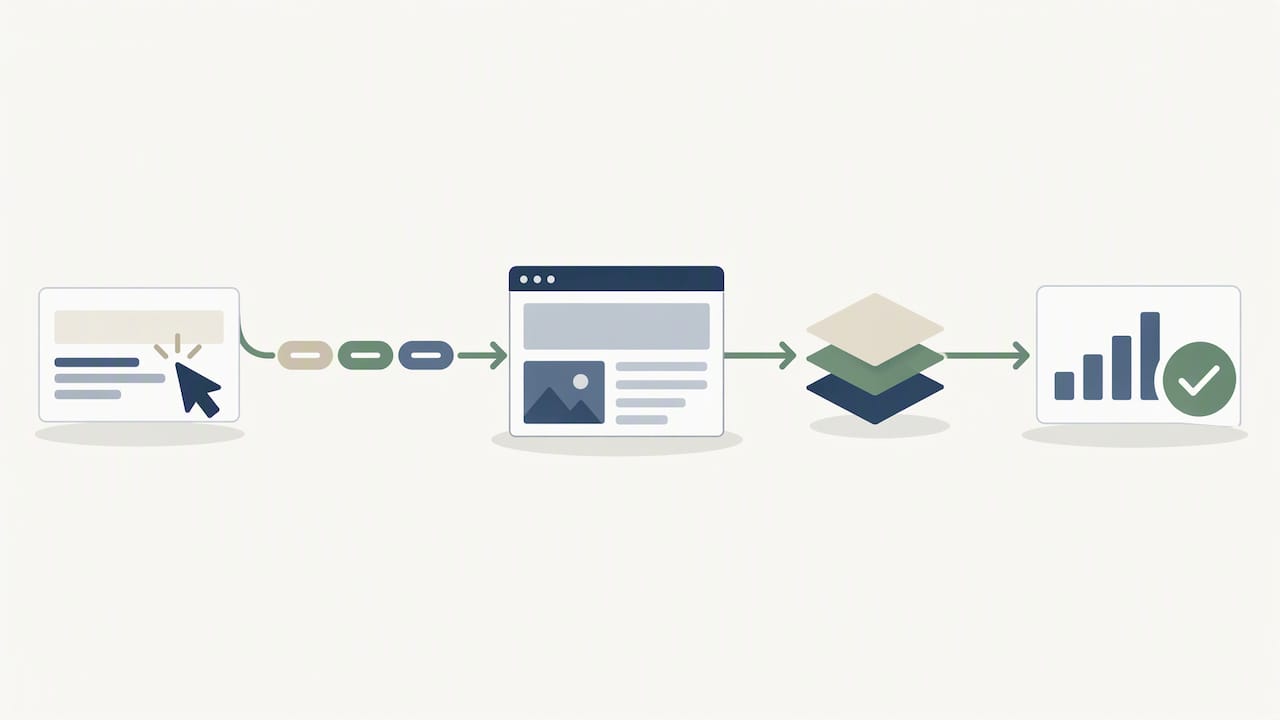
A landing page that loads slowly or says something different from the ad undoes everything upstream. Google and Meta both read landing experience as a quality signal, and slow pages lose conversions regardless of platform.
- Confirm the landing page headline and offer closely mirror the ad copy and the keywords driving traffic to it.
- Run PageSpeed Insights on mobile and desktop, and fix anything flagged as render-blocking before launch rather than after.
- Test every form and thank-you page on desktop and mobile, confirming server-side conversion events fire on both.
- Check that the tracking tag is present on every page in the funnel the campaign actually uses, not just the homepage.
A PageSpeed Insights score of 90 or above is considered good, with 50 to 89 needing improvement and anything under 50 flagged as poor; a page scoring in the poor range before launch is a signal worth fixing first, since it affects both conversion rate and ad quality scoring. Our landing page optimization guide covers the most common fixes we see on client accounts.
5. Creative and ad assets should be launch-ready, not draft-ready
Thin ad groups with one or two ads limit what the platform can learn and test. Google’s own campaign setup checklist recommends at least three ads per ad group along with multiple asset types, since more assets give the algorithm more combinations to test for click-through rate.
- Prepare at least three Search ad variants per ad group, and match Meta’s recommended image and video specs for each placement you plan to use.
- Upload sitelink and callout extensions, and double-check every asset against platform ad policies before submitting for review.
- Name creative assets and group them consistently so performance reporting can be filtered by variant later.
- Preview every ad in the platform’s native preview tool to confirm it renders correctly across placements before it goes live.
A strong campaign brief drives all of this upstream: treating the brief as the leveraged document that shapes creative, tracking, and channel choices means a weak brief produces weak execution everywhere downstream. If creative is being built by a freelancer or small team, a structured intake like these creative brief questions helps keep assets aligned with the campaign’s actual goal before production starts.
6. Targeting, audiences, and campaign settings
Targeting mistakes rarely show up as an error message. They show up two weeks later as wasted spend on the wrong audience or the wrong geography.
- Confirm remarketing and customer match lists are populated correctly and comply with each platform’s data policies before the campaign goes live.
- Add negative keywords and audience exclusions, including internal traffic and existing customers, so budget isn’t spent reaching people who were never in scope.
- Choose keyword match types deliberately and split keywords into tightly focused ad groups rather than one broad group covering unrelated terms.
- Double-check geographic targeting, language settings, device bid adjustments, and ad scheduling all match what the campaign is actually meant to achieve.
Audience readiness matters just as much before a product or feature launch. Prelaunch audience research that builds a warm list ahead of time gives paid campaigns a stronger starting signal than cold targeting alone.
7. Campaign structure, bidding, budgets, and go/no-go QA
The final pass before launch is structural: does the campaign match how the business actually sells, and is the account ready for the bidding strategy assigned to it?
- Confirm campaign and ad group structure mirrors the product or service taxonomy, with each ad group mapped to its own landing page.
- Check that the bidding strategy matches available conversion volume. Google’s campaign setup guidance recommends using Smart Bidding only once reliable conversion data exists, not from day one.
- Verify every ad shows an approved status, run a final policy check, and preview ads across formats to catch rendering issues before spend starts.
- Define go/no-go criteria with severity levels, flag anything that would block launch as a P0, and capture evidence for each pass or fail item on the list.
Pro Tip: Assign one named person as the launch QA owner and have them sign off against the checklist in writing, so there’s no ambiguity about who verified what before the budget turned on.
A documented rollback plan, who pauses the campaign and how fast, matters just as much as the launch plan itself.
North Country Consulting perspective: senior oversight changes pre-launch priorities
On accounts spending significant budgets, measurement and account structure outrank creative polish every time. A beautiful ad on top of broken tracking just produces confident, wrong decisions faster. We require evidence for every critical check, screenshots, recordings, a test lead in the CRM, and we assign one named owner to sign off before a budget goes live. A staged ramp, not a full-budget switch, catches problems while they’re still cheap to fix.
— Eric
How we help you finish the checklist before launch
Running every item on this list takes real hours, and on a high-spend account the cost of missing one is higher than the cost of checking it. Our free Google Ads audit looks specifically at measurement setup, account structure, and the kind of launch blockers this checklist is built to catch.
Beyond the audit, our core services map directly onto pre-launch gaps we see most often:
- Enhanced conversions setup and validation, so bidding runs on clean signal from week one.
- Account restructure, rebuilding campaign architecture to match how the business actually sells.
- Performance Max management, for accounts ready to layer automated bidding on top of verified tracking.
If your launch date is close and the checklist still has open items, start with our Google Ads management page to see how senior-led setup support works.
FAQ
What are the most important pre launch checklist ads items?
Measurement and conversion tracking come first, since every other decision, bidding, budget, creative testing, depends on accurate data. Account setup, landing page readiness, and creative completeness follow close behind, and all should be verified before any budget is released.
How do I test that conversion tracking is working before launch?
Run a test submission through the full funnel and confirm the event appears in Google Tag Manager, Google Analytics, and your CRM with matching details. Google’s enhanced conversions implementation guidance recommends keeping new conversion actions as secondary for two to three weeks while this data gets validated.
What PageSpeed score should a landing page have before launch?
A PageSpeed Insights score of 90 or higher is considered good, while a score below 50 is considered poor and worth fixing before launch. Scores in the 50 to 89 range still need improvement, particularly on anything render-blocking.
How many ads should be in each ad group before launch?
Google’s own campaign setup checklist recommends at least three ads per ad group along with multiple asset types, since more variants give the platform more combinations to test. Thin ad groups with only one ad limit what the algorithm can learn early on.
When should I use Smart Bidding on a new campaign?
Smart Bidding works best once an account has reliable, validated conversion data, not immediately at launch. Google’s guidance recommends confirming conversion tracking is solid first, then layering in automated bidding once that signal is trustworthy.
Sources
- Enhanced conversions for leads implementation checklist – Google Ads Help
- About PageSpeed Insights | Google for Developers
- How To Set Up Google Ads: A Checklist – Google Ads